
Babytopia: Match 3 Puzzle Game
Elementa GamesCasual
4.71.20K Reviews
- Version
- 6.8.0
- Installs
- 500.00K
- Age Rating
- Everyone
Screenshots
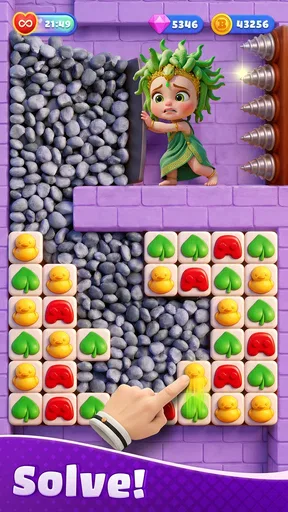
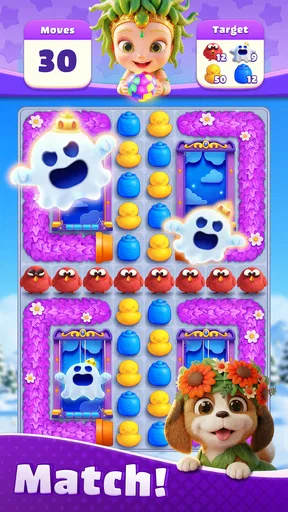
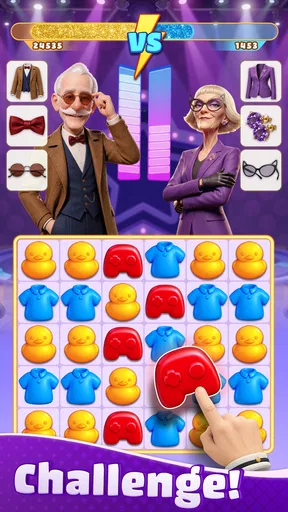
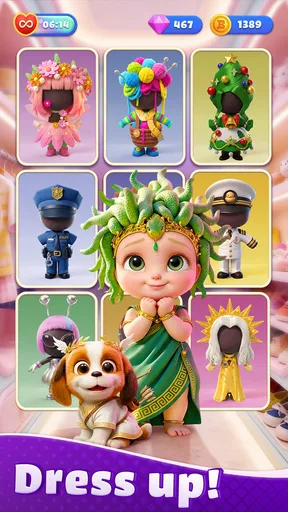
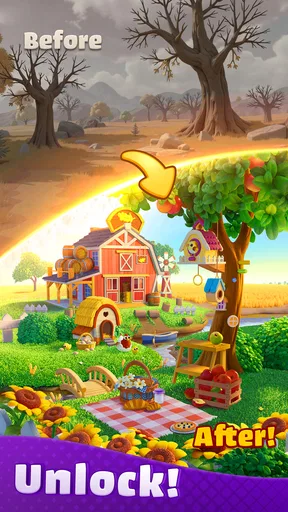
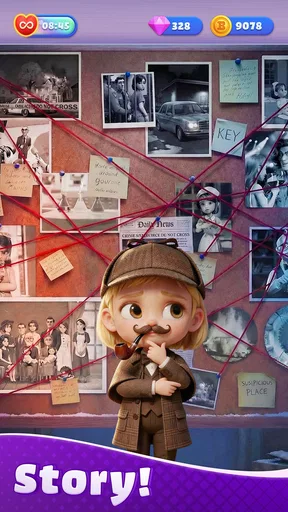

Our Review of Babytopia: Match 3 Puzzle Game
 Analysis by Appyee
As a casual match-three game, Babytopia is best approached as a short, colorful puzzle break rather than a substitute for a child-focused learning app. That distinction matters: its store summary sets expectations around matching and surprises, while claims about educational activities, parental controls, or ad-free play should not be taken for granted. I’d start by playing together, checking how the game feels on your device, and deciding whether its pace and presentation suit the person who will use it.
Reading the board and finding your way around
For a match-three game, the board itself does much of the communication: players need to spot similar pieces, understand what can be moved, and see what changes after a match. I find that this familiar structure can make casual games easier to approach than interfaces with many menus or rules to learn. Still, visual clarity depends on the individual player and screen. If a child has trouble distinguishing colors or tracking small details, sit beside them at first and see whether the pieces remain easy to tell apart on the phone or tablet you plan to use.
That first shared session is useful for another reason: it shows whether navigation feels manageable without assuming that a bright, friendly presentation automatically makes every control obvious. Let the player explore at their own pace, and notice whether they can return to the board after opening a menu or need help. I’d avoid turning the first try into a test; a calm introduction gives you a more realistic sense of whether the game feels comfortable.
Touch, sound, and different ways to play
Matching usually asks for deliberate taps or drags, so a player who finds precise touch gestures tiring may need more time or a larger screen. A tablet can make individual pieces easier to reach, although it does not remove the need to judge each movement. If someone has limited dexterity, try a brief session and watch for repeated missed touches or frustration before deciding whether this is a good fit. I would not assume that every action can be completed with a single tap or that the controls can be customized.
Sensory comfort is personal, too. Colorful puzzle boards can be appealing to one player and visually busy to another; sound and animation may help some people follow the action but distract others. I recommend checking the available in-game and device settings together before a longer session, rather than relying on assumptions about audio controls. If the presentation feels overstimulating, stopping is a perfectly reasonable choice; a quieter puzzle app may suit that player better.
When a quick puzzle fits—and when it doesn’t
Babytopia is free to download, while optional in-app purchases range from under a dollar to close to a hundred dollars per item. That wide span is a reason to review purchase settings before handing a device to a child, especially if they can access payment confirmation. I would treat the game as a shared activity until I understood how its purchase prompts appear, and use the device’s purchase safeguards where appropriate. A free starting point does not mean every part of a game must be available without spending.
On Android, the listed minimum is version 6.0, and the current version is 6.2.0. The game is also available on iOS. It is rated for everyone, but an age rating is not a guarantee that every player will find the pace, visuals, or purchase flow suitable. Elementa Games released it on January 15, 2025; it has an average rating of 4.8 from around 21,000 ratings, with roughly 915 written reviews and over 500,000 installs. Those figures suggest broad interest, but they cannot tell me whether its play style will work for a particular child or adult.
What to expect from a casual match-three game
Compared with a word puzzle, a logic game, or a slower jigsaw, match-three play tends to emphasize quickly recognizing patterns and making moves in succession. That can make Babytopia a handy option for a brief pause in the day, but it is not the best choice for someone who wants reading practice, open-ended creation, or a quiet activity with minimal visual change. If you are choosing between it and another casual game, focus less on the label and more on what the player enjoys: spotting patterns, following a sequence, or solving a puzzle without a timer-like feeling.
A practical way to judge the fit is to play a few turns together and then let the child take the lead. Notice whether they understand what to do, whether they enjoy the feedback, and whether they can stop when you ask. That simple routine answers more than a quick glance at screenshots: it reveals whether the game is an enjoyable shared diversion or just another bright screen competing for attention.
Picture this: you’re a parent juggling a thousand things at once, and you’re on the hunt for an app that can keep your little one entertained while also being educational. Enter Babytopia, a game-changer in the world of toddler apps that promises to be both engaging and educational. I've taken it for a spin, and here’s how it stacks up.
First Impressions: A World of Wonder
From the moment I launched Babytopia, I was greeted with a burst of colors and a friendly interface that immediately caught my eye. It's like stepping into a magical world designed just for kids. The app is adorned with cute characters that invite you to explore various mini-games and activities. It’s all very intuitive, which is fantastic because let's face it, toddlers aren’t known for their patience!
Exploring Features: What’s Inside the Magic Box?
So, what does Babytopia offer? There’s a delightful mix of games, puzzles, and interactive stories that cater to different learning styles. Each activity is crafted to stimulate cognitive development, from memory games that boost recall to puzzles that enhance problem-solving skills. The best part? It's all wrapped up in fun, so it never feels like a chore for the little ones.
The app’s developers have clearly put in the effort to ensure the content is age-appropriate. I noticed there’s a gentle progression in the difficulty levels, which means the app grows alongside your child. That’s a big plus in my book because it keeps the engagement levels high without overwhelming the kids.
Interactivity and Engagement: Keeping Tiny Hands Busy
One of the standout features of Babytopia is its interactive nature. The touch controls are responsive and easy for little fingers to navigate. The app encourages participation, whether it's through tapping, dragging, or even shaking the device. This interactivity keeps kids immersed and makes learning a lot more fun.
And let's talk about the audio-visual elements! The sound effects and cheerful background music add an extra layer of excitement. The animations are smooth, and the graphics are vibrant, which is crucial for capturing and retaining a child’s attention.
Safety and Usability: Peace of Mind for Parents
As a parent, safety is paramount, and Babytopia doesn’t disappoint. The app has no ads, which means no accidental clicks leading to unwanted purchases or inappropriate content. There's also a handy parental lock feature, so you can control what parts of the app your child can access.
Usability is another area where this app shines. It's available on both Android and iOS, and the performance is seamless across devices. Whether you’re using a smartphone or a tablet, the user experience is consistently smooth.
Keeping play manageable in an ordinary day
My preferred use for a casual puzzle is a bounded break: waiting for food to arrive, sharing a quiet moment before an appointment, or sitting together while an adult takes a short pause. In those situations, I’d keep the session brief and stay close enough to help with a confusing screen or an unexpected prompt. The game can occupy attention, but I wouldn’t rely on it as a hands-off babysitter or assume that every child will disengage easily when it is time to stop.
For a family deciding whether to install it, the useful question is not simply whether the game is entertaining. Ask whether the child likes matching patterns, can comfortably use the screen, and handles a bright, active game well. If they prefer stories, drawing, or a slower activity, a different kind of app is likely to be a better fit. And if the goal is specifically structured learning, I would choose a product designed around that goal rather than treating any puzzle game as a lesson.
A small routine that helps avoid frustration
Before giving the device over, I’d open the game myself, confirm that it launches as expected, and look over the screens the child may encounter. Then I’d hand it over with one simple invitation: find a match and show me what happens. This is a practical way to see whether the basic interaction makes sense without giving a long explanation. If the player becomes stuck, demonstrate one move and let them try the next rather than taking over the board.
Another useful habit is to agree on an end point before play begins. A child may find it easier to stop after a short turn or when an adult signals that the break is over, rather than being asked to quit at an arbitrary moment. This is not a special feature of the game; it is a way to make screen time more predictable. If stopping repeatedly turns into a struggle, I would choose an activity with a clearer natural endpoint.
Where expectations need a closer look
The published description identifies Babytopia as a casual match-three game, so I would use that as the clearest guide to its central appeal. The older review text describes a wider mix of mini-games, stories, learning activities, shaking controls, and parental tools, but those details should not be treated as established features without checking them in the current app. In particular, I would not install it expecting a comprehensive early-learning program or a guaranteed child-proof environment. A quick adult inspection is more useful than relying on assumptions based on colorful artwork or an all-ages rating.
That distinction also shapes how I compare it with alternatives. A standard match-three title may offer a similar pattern-finding rhythm, while a dedicated children’s learning app may provide more explicit teaching and adult oversight. Babytopia makes most sense for someone who wants a casual matching game with a playful identity. It is less compelling if you need detailed progress tracking, adjustable accessibility options, or a screen-free activity; in those cases, a different tool—or simply a physical puzzle together—may meet the need better.
Who is most likely to enjoy it?
I’d consider it for a child or adult who enjoys spotting combinations and wants an approachable game to dip into, especially when a caregiver is available for the first session and purchase settings can be checked. It may also suit families who like trying a free game before deciding whether it earns a place on a device. The developer is Elementa Games, and the title sits in the broad casual-game space, so I would judge it primarily by whether its matching play holds the intended player’s interest rather than by expecting a particular educational outcome.
I’d skip it for a player who dislikes vivid, changeable screens, finds touch selection difficult, or needs a calm activity with minimal stimulation. I’d also look elsewhere if a caregiver’s main requirement is a verified set of accessibility controls or strong, clearly documented parental restrictions. A high average rating—4.8—can be reassuring as a sign that many people enjoy the game, but individual needs matter more than popularity when choosing something for a young player.
Inclusive verdict: try it with the right expectations
My overall view is that Babytopia could work as a light, shared match-three diversion, provided the player is comfortable with its visual presentation and the adult checks the purchase experience before leaving a child to explore. It is free to download, rated for everyone, and has reached over 500,000 installs, but none of those details can settle the practical questions of readability, motor comfort, sensory preference, or how easily a particular child can stop playing.
I would give it a short, supervised trial rather than making it a default activity. Watch how the player handles the board, menus, sound, and transitions, and choose another option if any of those create friction. For a family seeking a casual puzzle and willing to stay involved, that is a reasonable way to see whether it belongs in the routine. For a child who needs more accessible controls, quieter stimulation, or purposeful teaching, I would keep looking.
Verdict
Strengths of Babytopia: Match 3 Puzzle Game
- User-friendly interface for all ages.
- Wide variety of educational content.
- Engaging graphics and animations.
- Customizable parental controls.
- Regular updates with new features.
Limitations of Babytopia: Match 3 Puzzle Game
- Requires in-app purchases for full access.
- Large app size can affect device storage.
- Some content may need internet connection.
- Limited language options available.
- Occasional ads may interrupt gameplay.
Similar Picks in This Category
View All
My Talking Angela
Outfit7 Limited4.2

My Talking Tom
Outfit7 Limited4.3

Pou
Zakeh4.2

My Talking Tom 2: Pet Game
Outfit7 Limited4.3

Candy Crush Saga
King4.6

Bridge Race
Supersonic Studios LTD4.1
Frequently Asked Questions
What is Babytopia and what features does it offer?
Babytopia is a comprehensive parenting app designed to support new and expecting parents. It offers features such as a baby tracker for feeding and sleeping schedules, developmental milestones, a community forum for sharing advice, and expert articles on parenting. The app aims to simplify and enhance the parenting experience by providing a one-stop resource for all baby-related needs.
Is Babytopia available on both Android and iOS platforms?
Yes, Babytopia is available for download on both Android and iOS platforms. Users can find it on the Google Play Store and the Apple App Store, ensuring accessibility for a wide range of mobile devices. This cross-platform availability allows parents to use the app seamlessly, regardless of their device preference.
Does Babytopia require a subscription, or is it free to use?
Babytopia offers a free version with basic features accessible to all users. However, for those seeking advanced features and exclusive content, a premium subscription is available. The subscription model provides enhanced tools, personalized advice, and an ad-free experience, ensuring that parents have access to comprehensive support and resources.
How secure is the personal information I input into Babytopia?
Babytopia takes user privacy and data security seriously. The app employs advanced encryption and privacy protocols to protect personal information. Users can rest assured that their data, such as baby records and personal details, are safeguarded. The app also offers customizable privacy settings, allowing users to control who sees their information.
Can multiple caregivers access the same Babytopia account?
Yes, Babytopia allows multiple caregivers to access the same account, making it easier for families and support networks to stay informed and involved. This feature is particularly useful for parents, babysitters, and relatives, as it ensures everyone has access to the latest information and schedules for the child’s care.
Play our best games!


